
How to open the settings page of your printi mini
Step 1:
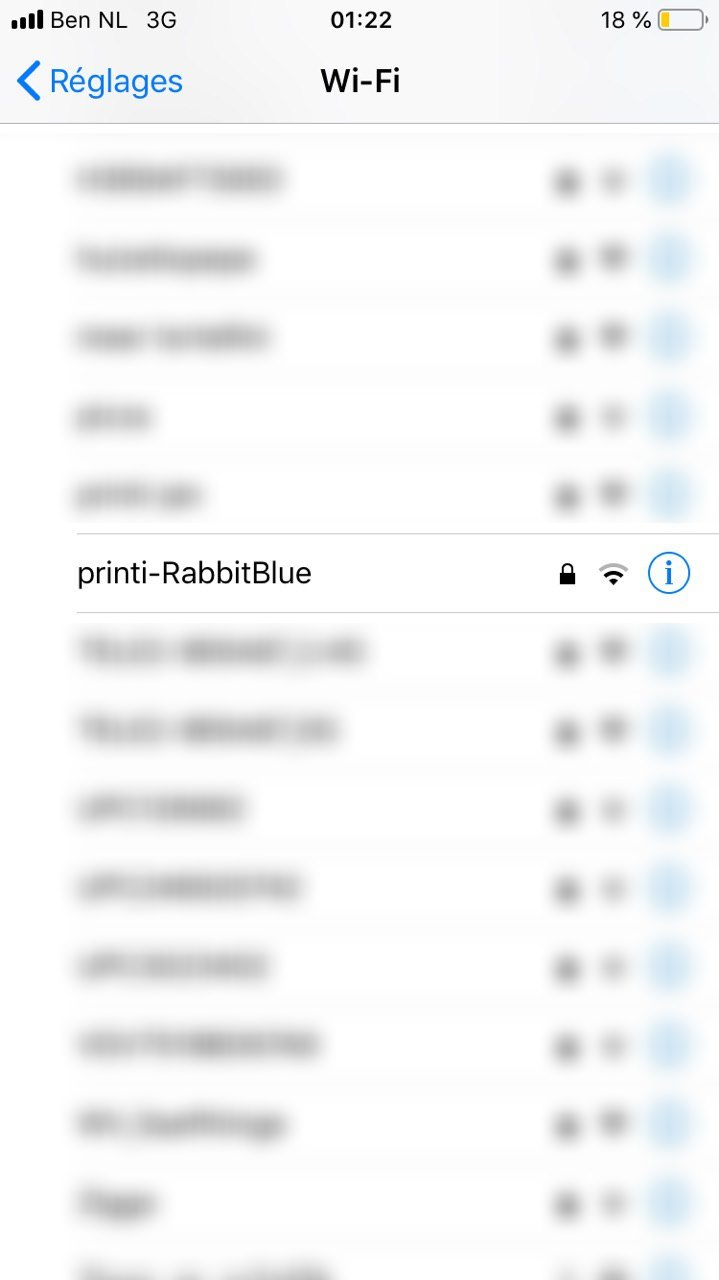
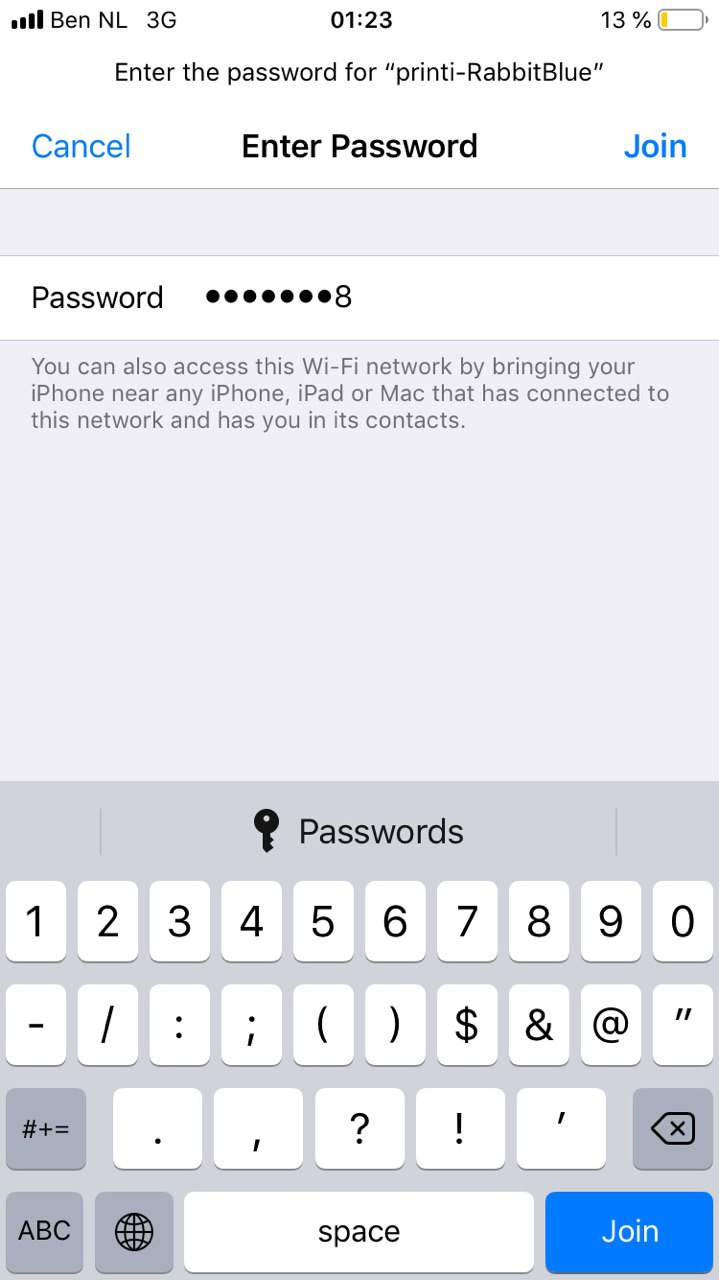
On your phone/laptop, connect to the wifi network emitted by your printi:
      Name: printi-*****
  Password: 12345678
Step 2:
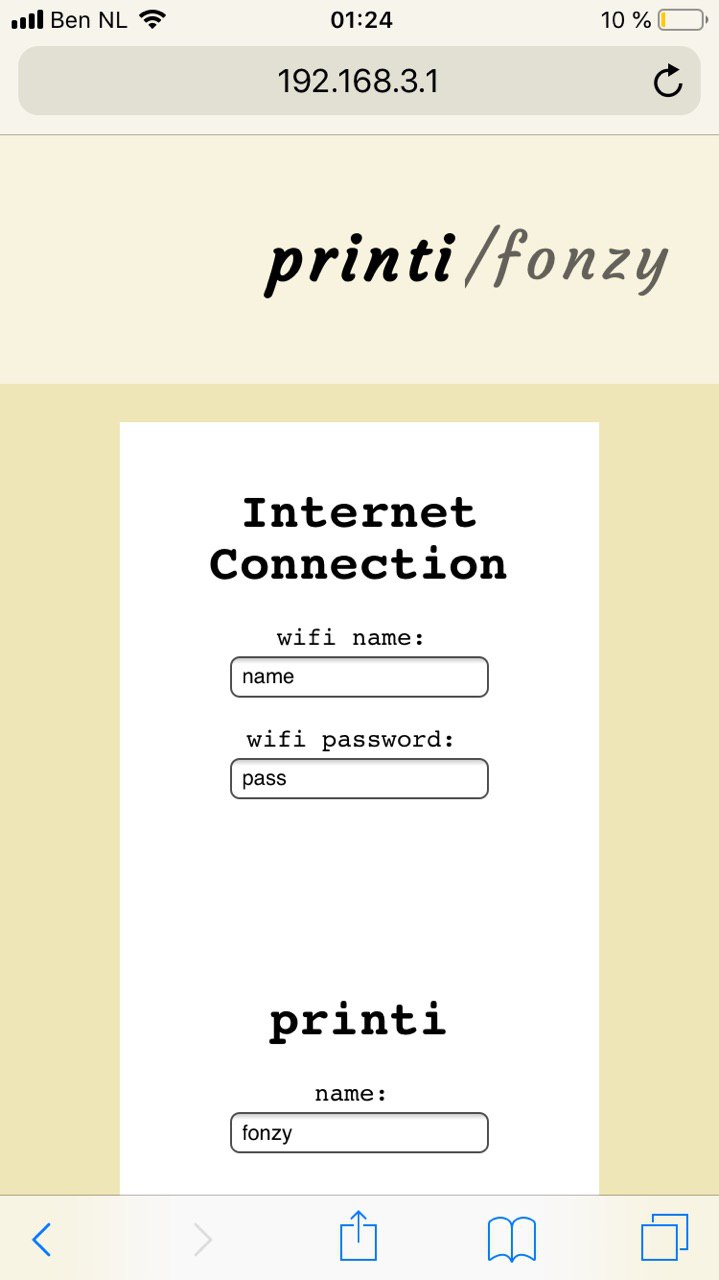
After connecting, open a web browser and navigate to:
http://192.168.3.1/
Step 3:
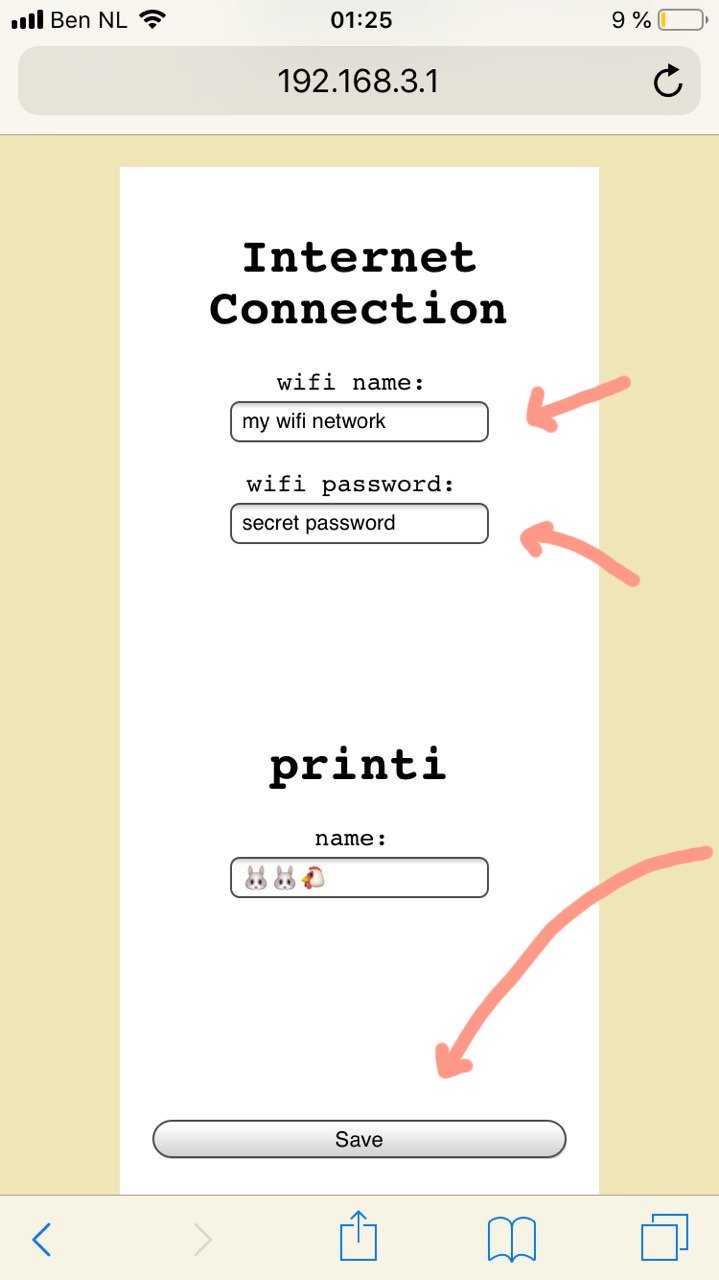
Type in the name and password of the Wi-Fi network that you want your printi to connect to, and press Save.
Tip:
The settings page can also be used to change the name of your printer!
That's it! Happy printing!